 brotoskyj
2.8 KiB
2.8 KiB
Welcome to RhythmWorks
Please use the getting started section for instructions on how to create a bot for RhythmWorks
Getting Started
You will need to create a bot in Discord for this to work. This is not an application you can add from Discord's App Store.
- Go to the Discord Development Portal
- Click New Application
- Give it a name
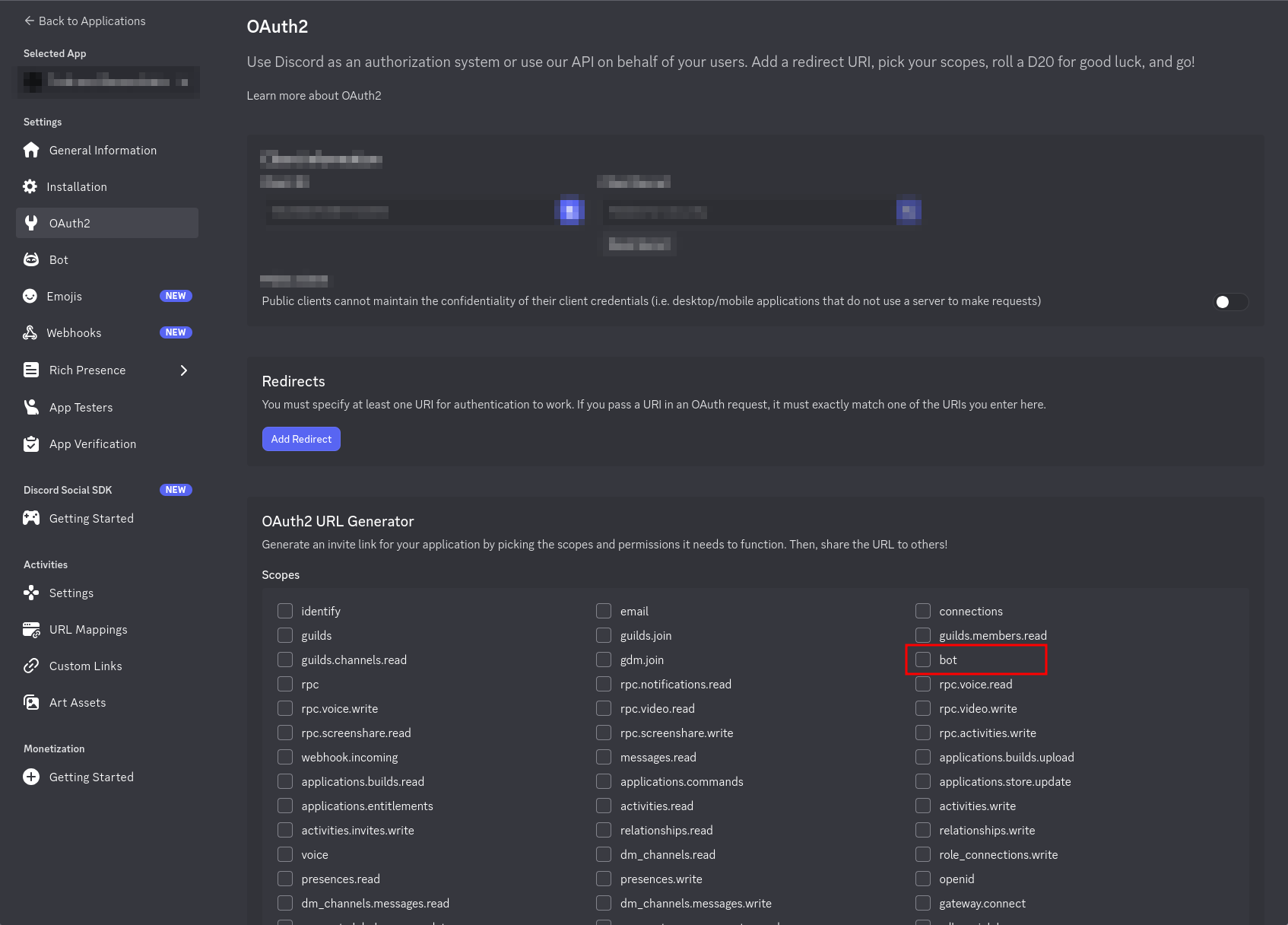
- Go to the OAuth2 Section
- Check mark the "bot" option under "OAuth2 URL Generator"
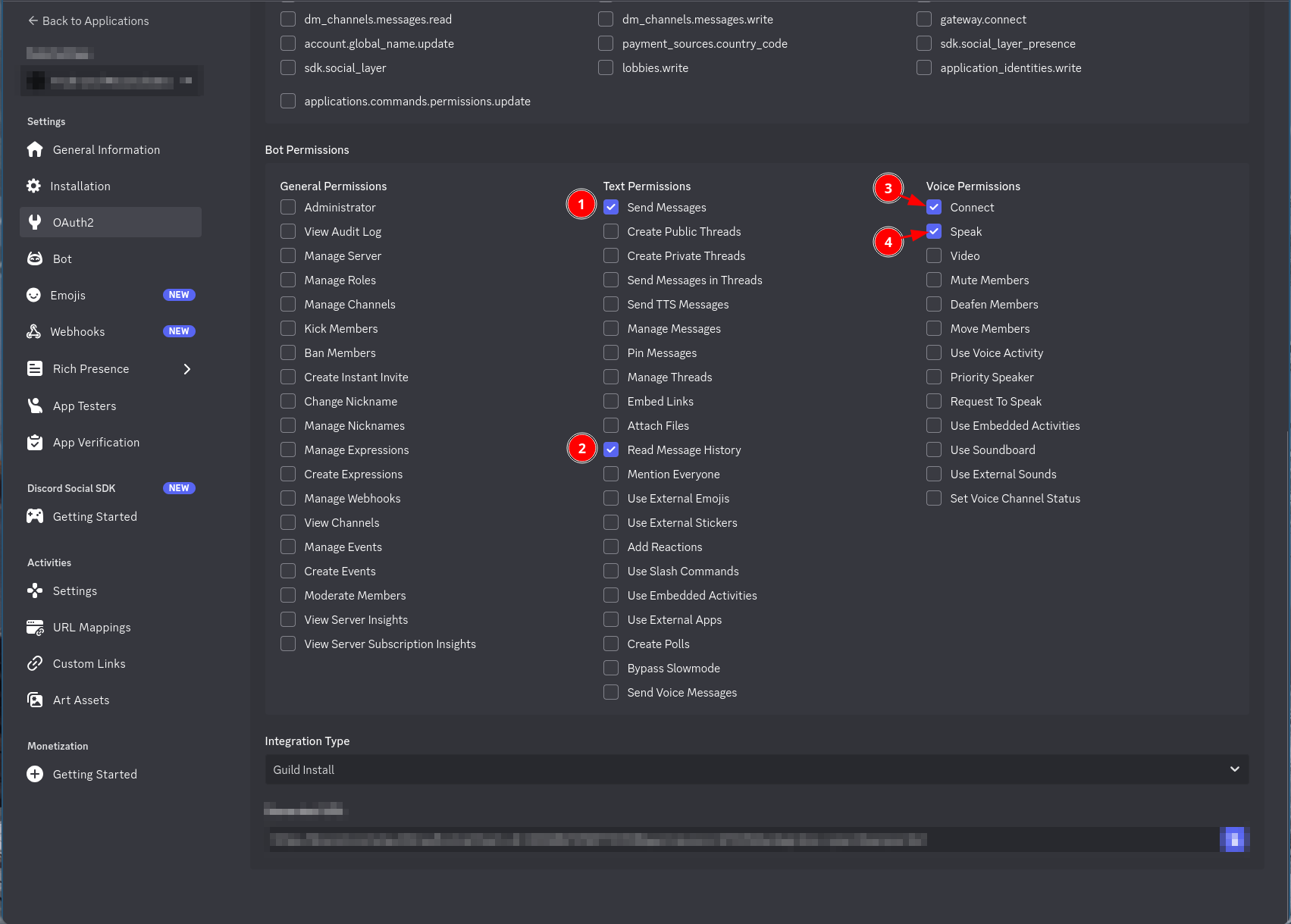
- Enable the Following Bot Permissions (Next Section)
- Send Messages
- Read Message History
- Connect
- Speak
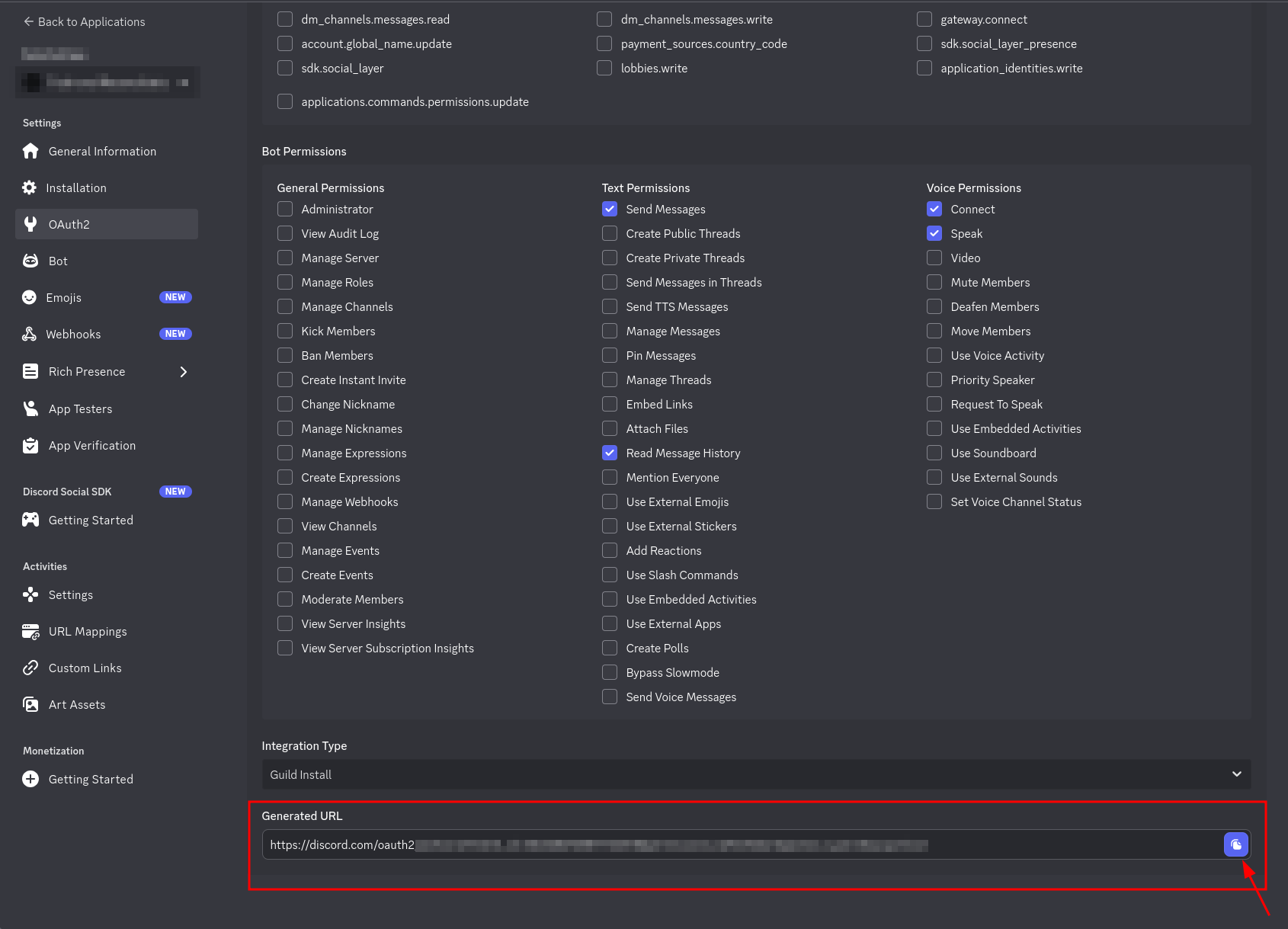
- Copy the Generated URL and paste it into your browser
- This will automatically launch discord and allow you to add the bot to your server
- Check mark the "bot" option under "OAuth2 URL Generator"
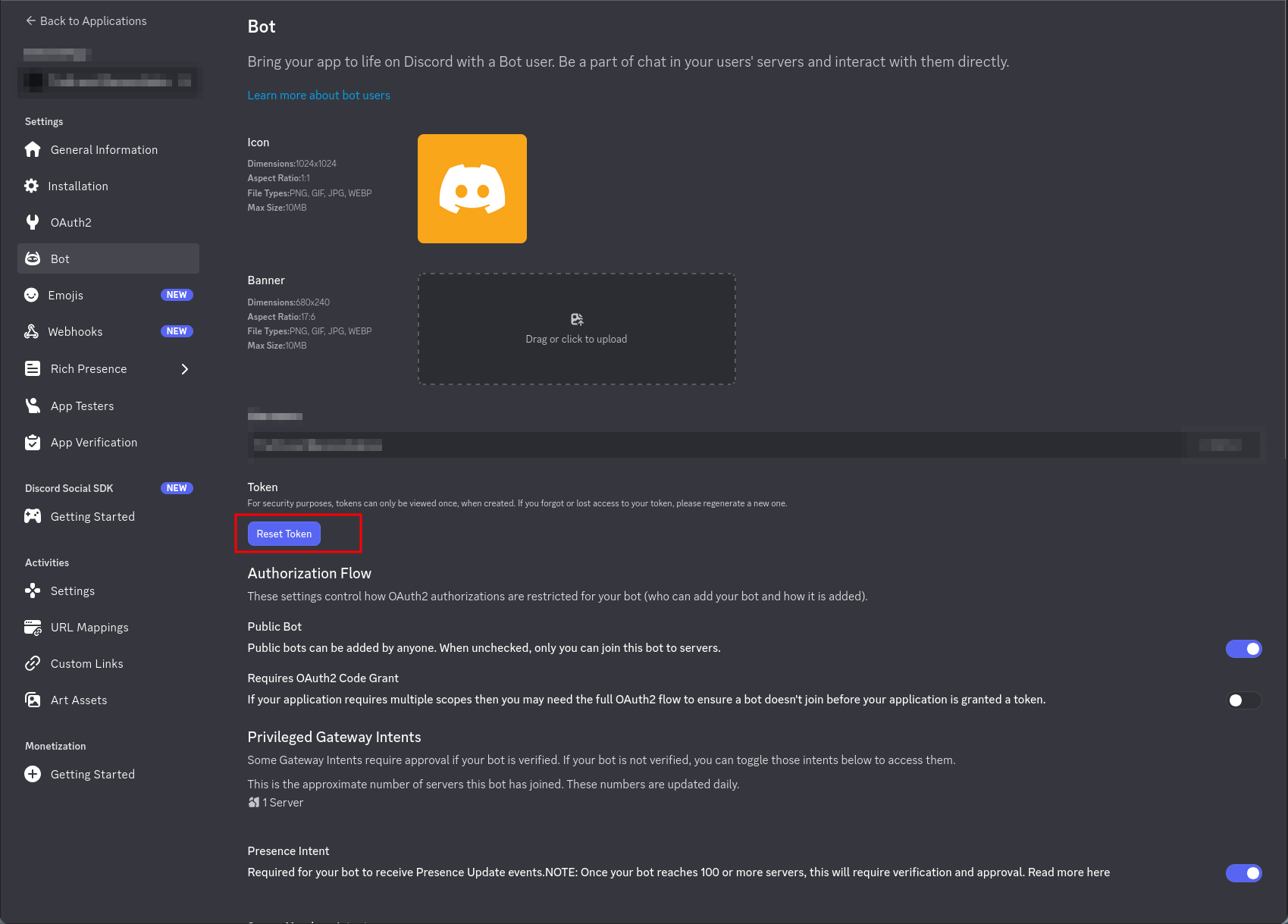
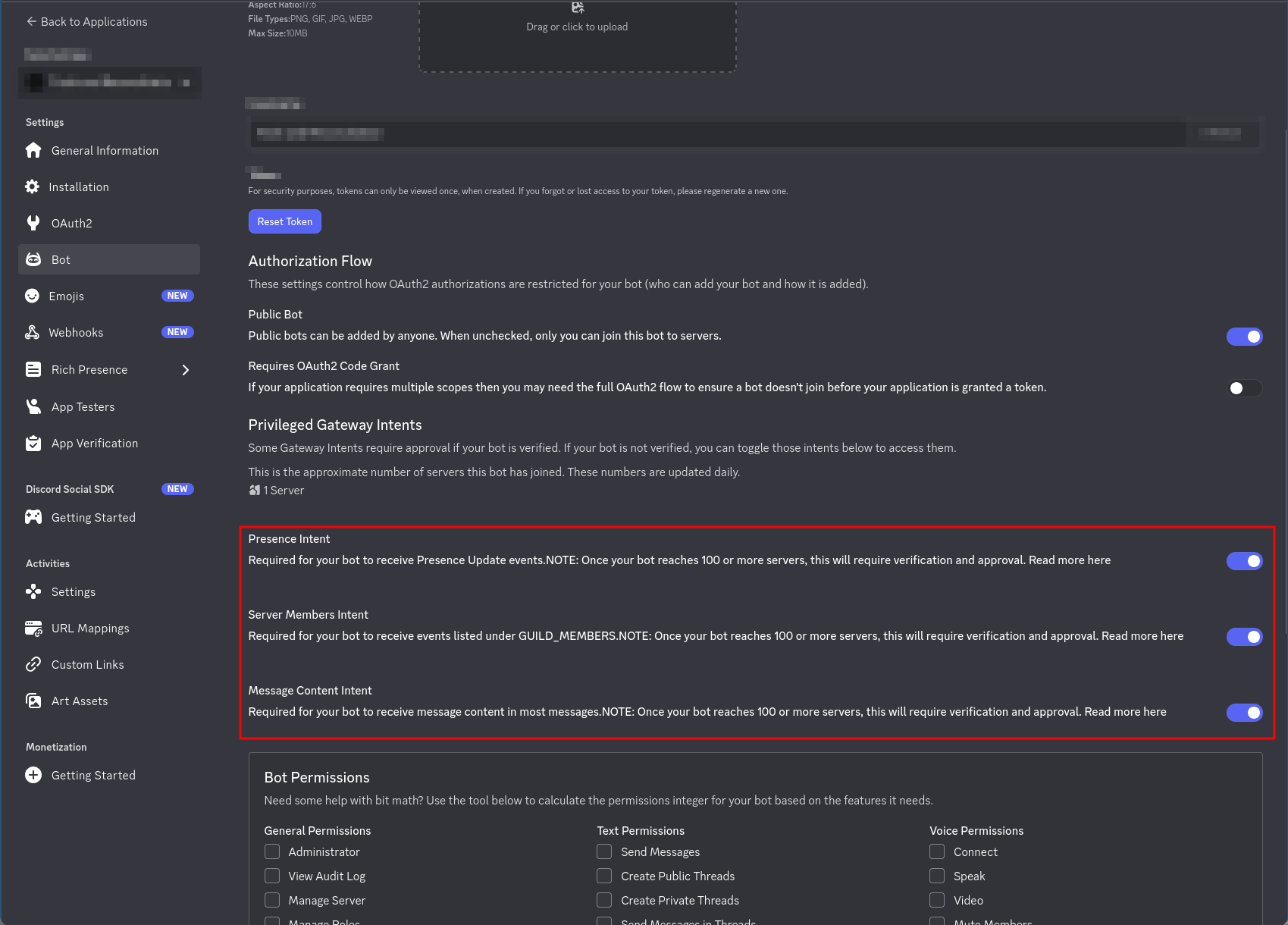
- Go to the "Bot" Section
- Click "Reset Token" and copy it
- You will need to save this in a secure place. This current version does not have a save functionality and you will have to type it in every time
- You will need to save this in a secure place. This current version does not have a save functionality and you will have to type it in every time
- When you start the bot, paste the token into the prompt
- Click "Reset Token" and copy it
- Enable all three privileged gateway intents
- Download Necessary Files
- Windows:
- Download yt-dlp (Windows)
- Linux:
- Download yt-dlp (Linux)
- Windows:
- Place these files in the same directory as RhythmWorks
- Keep the bot running while you want music to play
- IMPORTANT - You will need to !stop the currently playing track or wait for the track to finish before you start playing a new song. If you don't, the two tracks will play overtop of each other


Other Important Notes
- In Windows 11, because of smartscreen and their extra security features, if the bot appears to hang once you do !play in discord, you might have to unblock yt-dlp. Right click on the file, click properties, and near the bottom uncheck the box that says this file came from the internet and is blocked
Commands
!join
This will join the bot to your current voice channel
!play https://youtube.com/full-url
This will play the youtube audio from the URL
!stop
Completely stops the bot
!pause
Pauses the currently playing track
!resume
Resumes the paused track
!leave
The bot will leave the channel
Roadmap
-
Add save funtionality for Discord Bot Token
-
User Interface for the admin or whoever the person is who started the bot to have a heads up display and be able to control the bot